How It Works

One cabinet calculator.
Built for how
real shops work.

Measurements in. Cut lists out. Instantly. CabinetCalc is a cabinet calculator and cut list generator built to eliminate the math, the guesswork, and the re-cuts, so your shop runs on accuracy instead of approximation. Enter cabinet dimensions once and get every part, every sheet total, and every shop-ready output without rebuilding the numbers by hand. If you want more practical context, we also put together a few cabinet building guides for the shop side of the work.

Workflow

Measure once. CabinetCalc handles the production math.

The workflow should feel obvious to a builder: set standards, add cabinets, review outputs, and move straight into production with cut lists and material totals that are ready for the shop floor.

1
Step 1
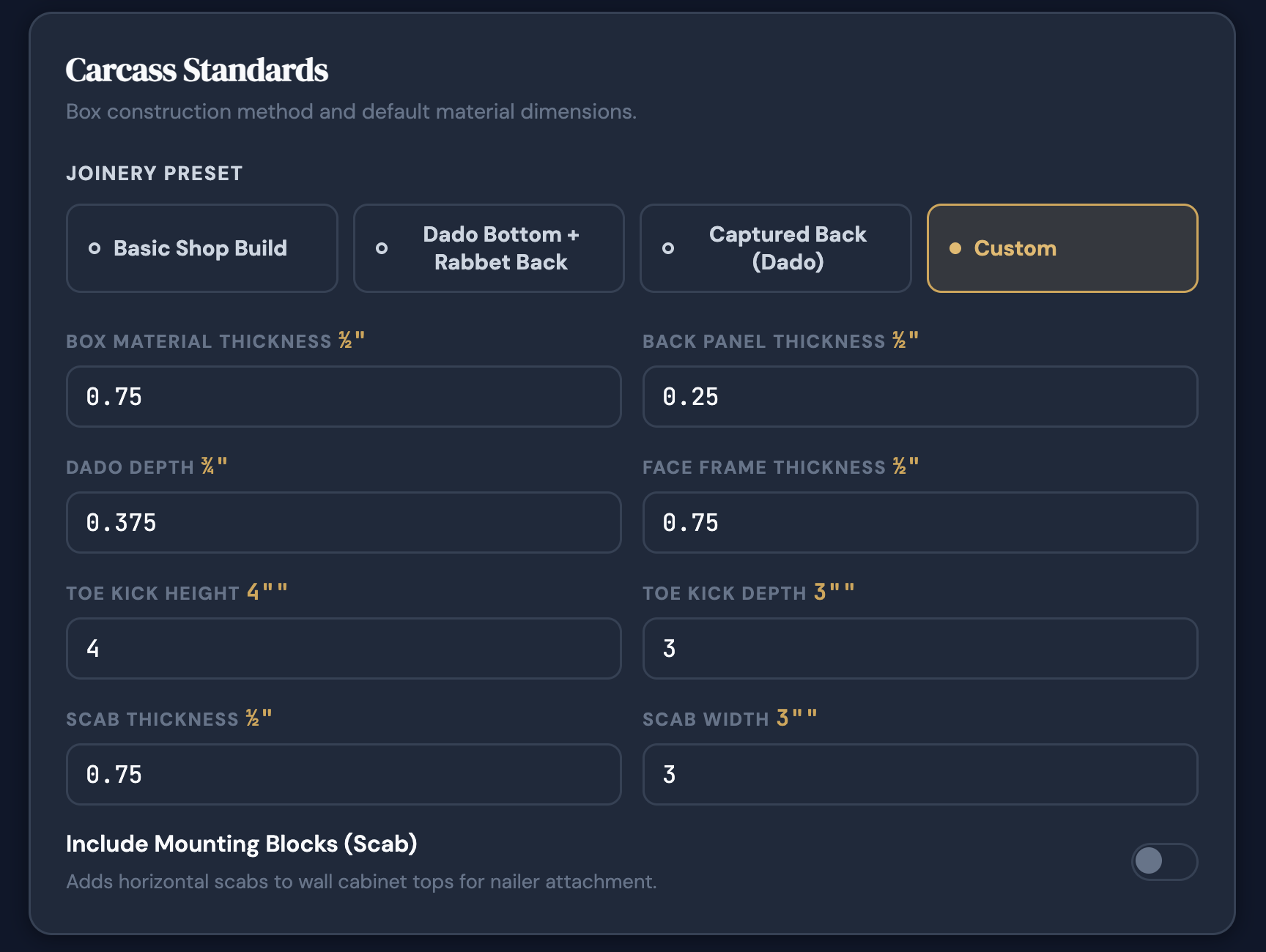
Set your build standards.

Choose the construction system, material thicknesses, overlay or inset assumptions, and the shop defaults that drive the rest of the math. Builder Pro applies saved standards and templates automatically. Builder keeps the workflow simple by letting you enter the assumptions directly into the build.

Face-frame or framelessOverlay / insetMaterial thicknessJoinery logic
CabinetCalc shop standards setup screen

Why this matters

CabinetCalc starts from the same production assumptions your shop uses every day, so the output matches the way you actually build. If you want the sizing side broken down a little more, see the cabinet dimensions guide.

Reduces repeated setup work from job to job.
Helps maintain consistency across cabinets and jobs.
Creates a cleaner path to templates and saved standards in Builder Pro.
2
Step 2
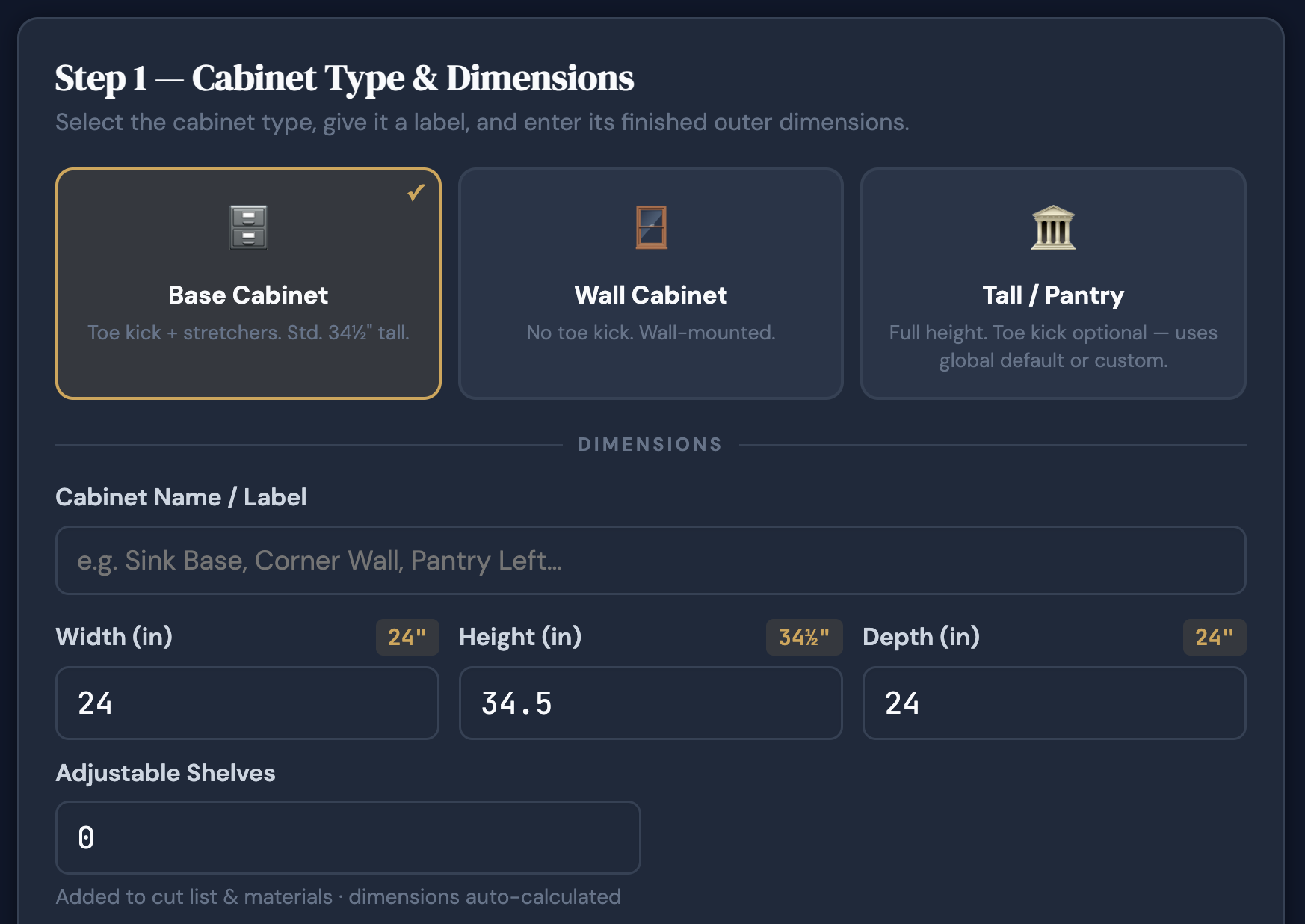
Add cabinets to a job.

Select the cabinet type, enter width, height, and depth, then choose door and drawer configurations. CabinetCalc calculates every cabinet part automatically from the finished measurements you enter, which is exactly what you want from a cabinet calculator.

Base cabinetsUppersTall / pantryVanityAdvanced types in Builder Pro
CabinetCalc cabinet type selection screen

What gets generated

CabinetCalc moves from cabinet inputs to production-ready data without spreadsheets, hand-checked formulas, or extra calculator work. For a closer look at how the parts break down, see the cabinet cut list guide.

Cabinet parts and dimensions.
Door and drawer configurations.
Elevation sketches for visual confirmation.
3
Step 3
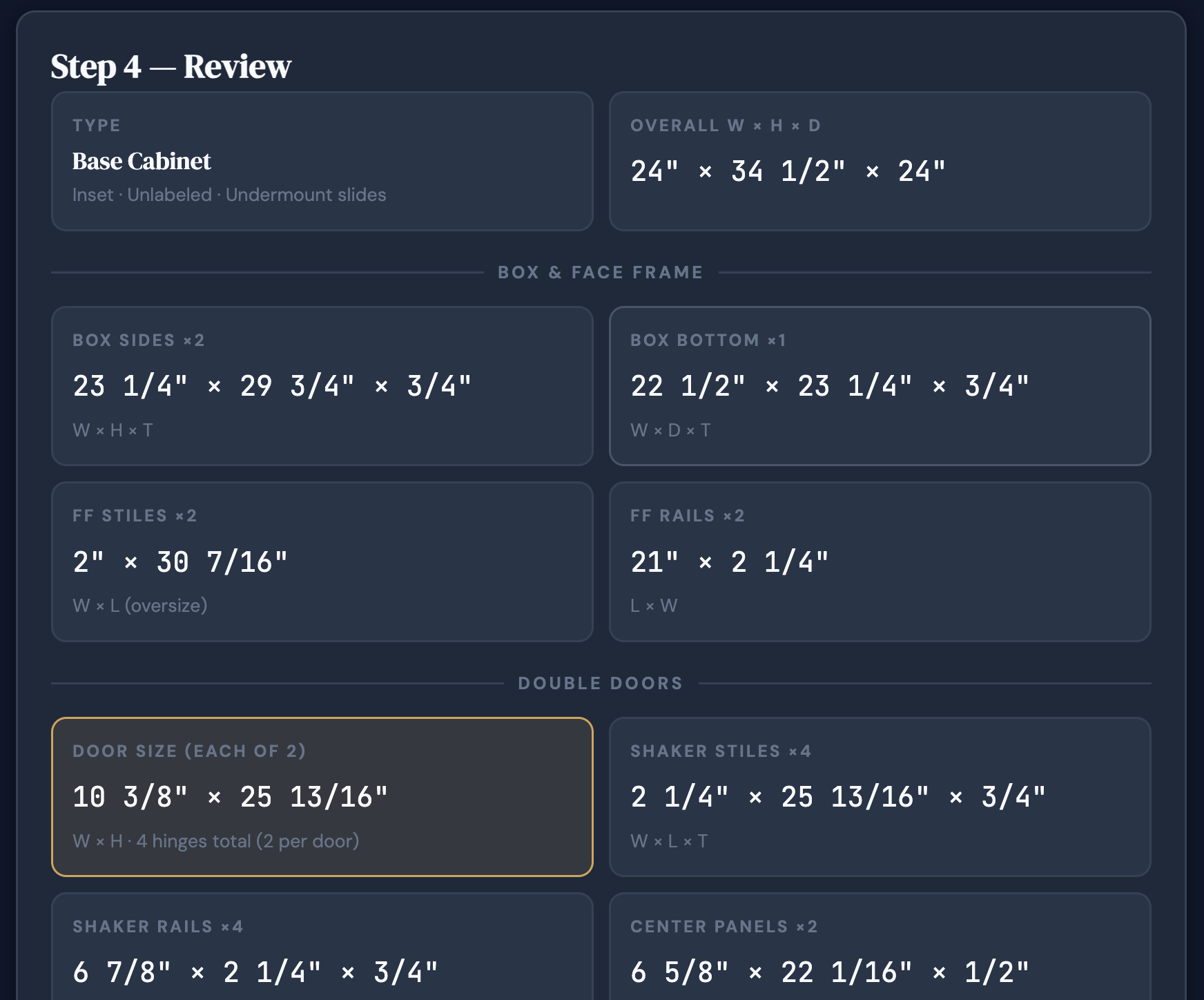
Review the cut list and material totals.

Every part is calculated and listed with dimensions in the format your shop uses. Materials are tallied automatically so you can see what a single cabinet, an entire kitchen, or a saved job needs before cutting or buying material. That is where a cabinet cut list generator starts saving real time.

Box partsFace frameDoors & drawersSheet goodsWaste factor
CabinetCalc cabinet review and cut list output

Production-ready outputs

This is where CabinetCalc starts paying for itself. The math is done, the parts are listed, and the material order is easier to trust.

Print or share shop-ready cut lists.
Know raw material requirements before a lumber yard run.
Batch cut confidently for one cabinet or a full kitchen.
4
Step 4
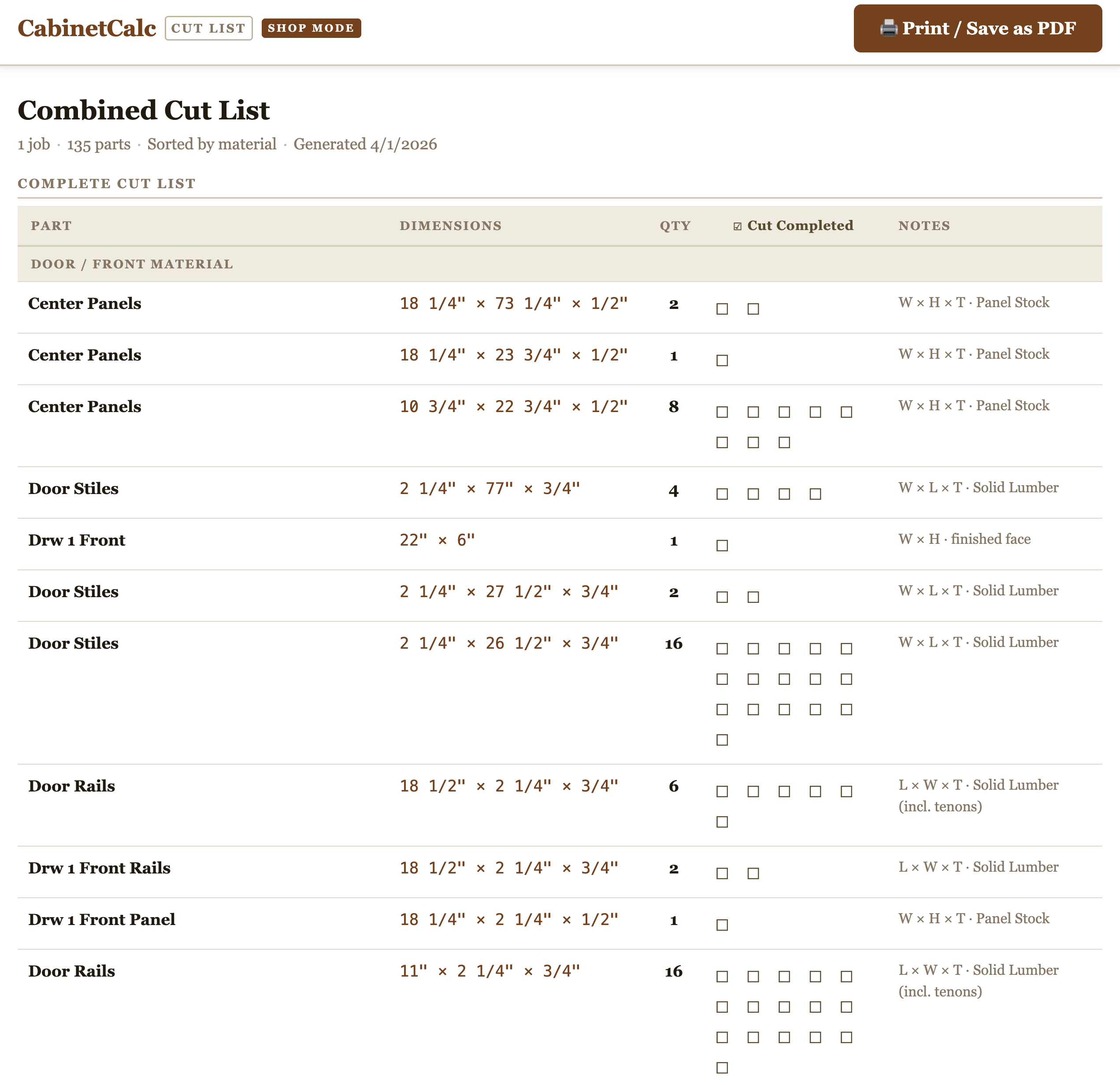
Print, export, share, and keep building.

Take the output straight to the saw, optimize your plywood panel yields in the panel optimizer, send it to a helper, export it for spreadsheet or CNC-adjacent workflows, or open the same job on your phone or tablet in the shop. CabinetCalc is cloud-based cabinet software, so your projects are available wherever you need them.

Print-readyShareableCSV exportCloud-basedAny devicePart Labels
Example cabinet cut list generated by CabinetCalc

Work how you want

CabinetCalc is designed to fit a real cabinet workflow, not force your shop into one device or one workstation.

Open jobs from older Windows shop machines or the newest iPhone.
Use tablets or iPads in the office or on the shop floor.
Keep projects accessible without emailing files back and forth.
Impact Capabilities

Production-ready outputs that help builders move faster and waste less.

These are the practical outputs shared across Builder and Builder Pro that make CabinetCalc useful in the real world: shop-ready cut lists, accurate material totals, elevation sketches, and exports you can actually use in production.

01
Shop-ready cut lists
Generate accurate part lists you can print, share, or take straight to the saw. Use them to batch cut parts for one cabinet, a full kitchen, or a saved job without rebuilding the math by hand.
Built to support real shop floor workflows, not just on-screen calculations.
02
Accurate raw material purchases
See the plywood, lumber, panels, and other required materials before cutting begins so you can make cleaner purchase lists and reduce under-buying or wasteful over-ordering.
Use the output for lumber yard runs, supplier calls, or internal purchase planning. The shop rate guide also helps connect cleaner production to better margins.
03
Cabinet elevation sketches
Automatically generated elevation views help confirm cabinet layouts and door and drawer configurations before parts are cut.
A clean build reference that adds confidence without turning the product into CAD or 3D modeling software.
04
Print, share, and export flexibility
Print clean lists, share them with the shop, or export structured data for spreadsheet and CNC-adjacent workflows. CabinetCalc keeps the data usable beyond the app itself.
Work from the app, a printed list, or the device already in your hand.

Optimize sheet goods, combine jobs, and run tighter production.

Builder Pro expands CabinetCalc from production-ready cabinet math into a more complete production workflow. It adds the high-impact capabilities that matter most when your shop is running concurrent jobs and trying to maximize labor efficiency, accuracy, and plywood yield.

Panel Layout OptimizerAutomatically arrange cabinet parts on sheet goods to increase yield and reduce wasted plywood.
Cut-list and material aggregatorsCombine multiple jobs into organized production lists for batch cutting and bulk material purchasing.
Saved shop standards and templatesApply the way your shop actually builds without repeating setup work every time.
Cloud Based

Work how you want, on the device you already use.

CabinetCalc is built for real-world cabinet shops, so it stays accessible whether you are at a desk, in the shop, at the lumber yard, or standing at the saw. Open the same job on older Windows machines, newer Macs, iPhones, Android devices, tablets, or iPads.

Desktop & laptopOffice workflows, quoting prep, materials review
Tablet & iPadShop floor reference, client walkthroughs, mobile review
iPhone & AndroidQuick lookup, lumber yard runs, on-the-go access
Older Windows shop machinesKeep using the hardware already in the shop
Work how you want — without locking your shop into one workstation or one device type.
Cabinet Calculator

What is a Cabinet Calculator?

A cabinet calculator takes finished cabinet dimensions and turns them into the production numbers your shop actually needs: part sizes, cut lists, and material totals. CabinetCalc works like a cabinet cut list generator, but it starts with the build logic that drives the whole cabinet.

It is not a cost estimating tool, and it is not 3D modeling software. It is cabinet software built for production, so you can move from dimensions to parts and materials faster with fewer mistakes.

Stop doing cabinet math by hand and start cutting with more speed and fewer mistakes.

CabinetCalc helps builders eliminate avoidable errors, reduce material waste, and move faster from finished measurements to cut lists, material totals, and production-ready outputs.