Free Cabinet Calculator
Cut Lists & Materials from Finished Dimensions
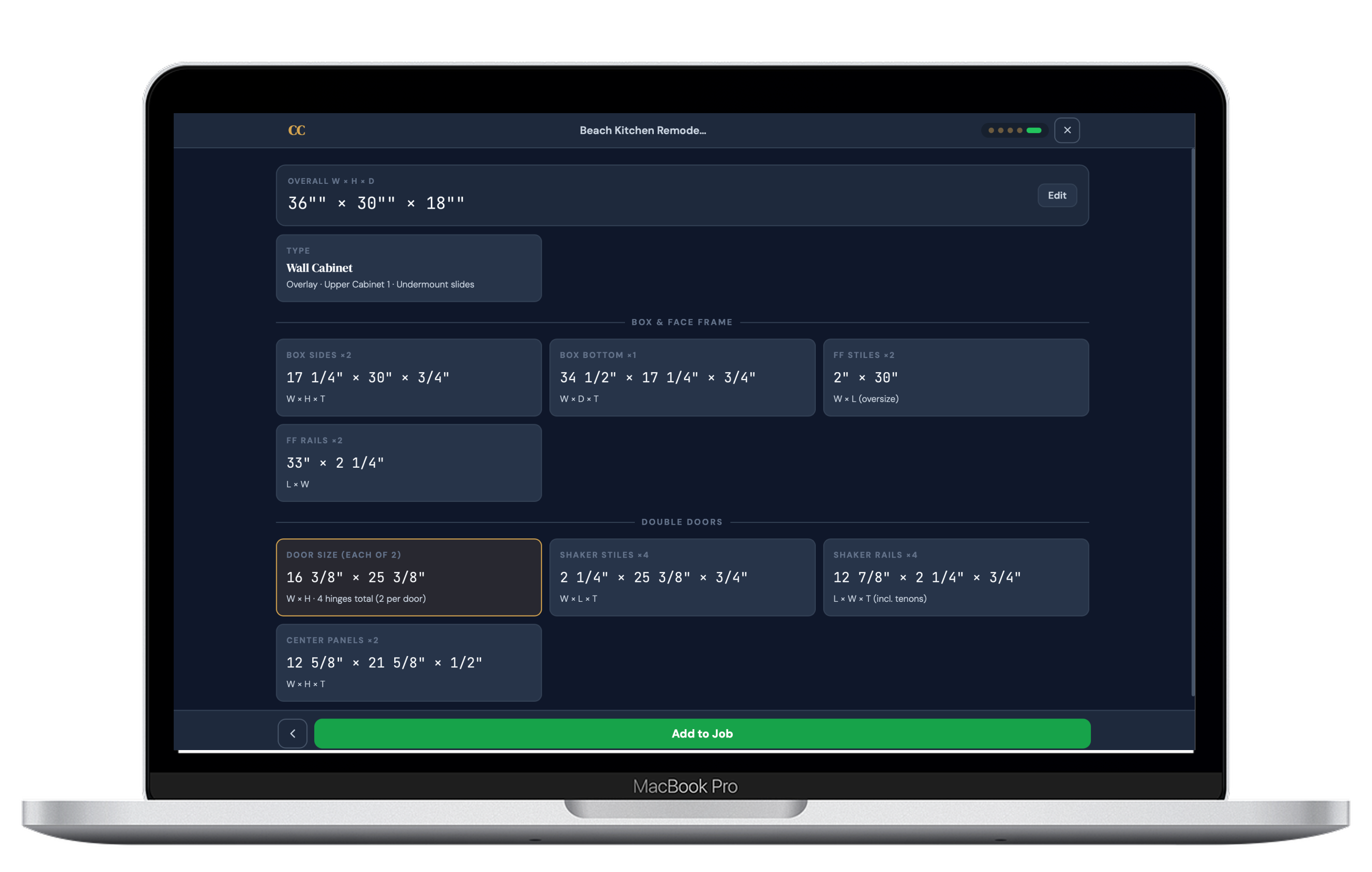
Enter your finished cabinet width, height, and depth. CabinetCalc computes every part in your cabinet cut list, your material quantities, and your sheet layout — instantly, on any device, with no 3D model required.
Cabinet Calculator — Common Questions
A cabinet calculator takes finished cabinet dimensions and automatically computes every individual part — sides, bottom, top, back, shelves, and face frame members — accounting for material thickness and construction method so every part is sized correctly before the first cut.
A cabinet calculator is the tool. A cabinet cut list is the output. The calculator takes your inputs and generates the cut list — a complete list of parts with finished dimensions, quantity, and material type ready for the saw.
Yes. CabinetCalc runs in any browser — Mac, iPhone, iPad, Android, or Windows. No install, no plugins, no Windows machine required. Every other major cabinet software is Windows-only.
CabinetCalc supports face-frame with partial overlay, flush inset, and beaded inset, plus frameless European full overlay. Construction method changes how every part is sized — the calculator handles all of those dependencies automatically.
How CabinetCalc differs from other cabinet calculators
Most cabinet calculators require a full 3D model before producing a single part. CabinetCalc doesn’t. Enter finished dimensions, set your shop standards once, and get a complete cut list and material takeoff in seconds.
Ready to generate your first cut list?
Join custom cabinet shops using CabinetCalc to eliminate cut list errors and save time on every job.
Try Free — for 14-days →